


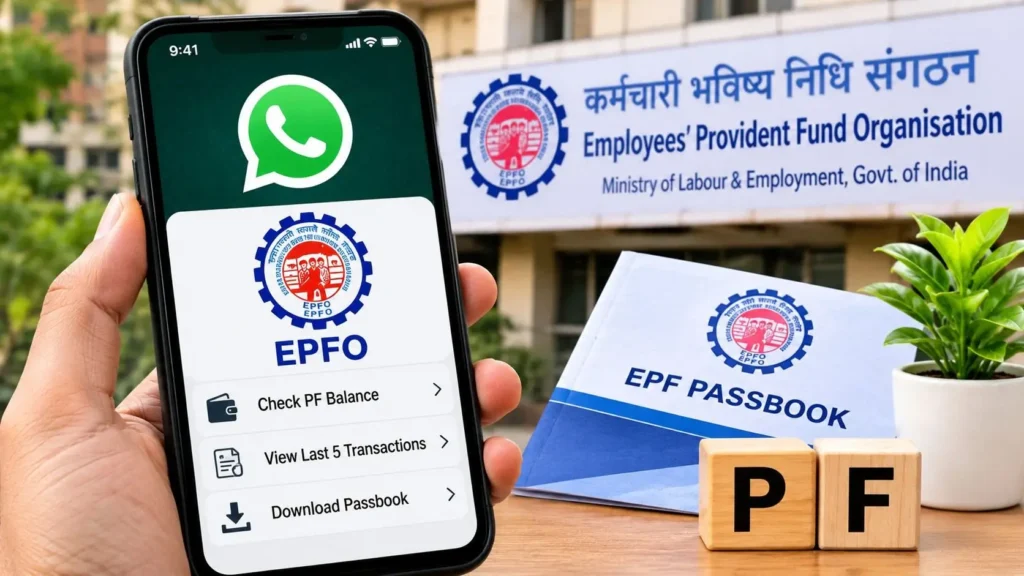
Employees’ Provident Fund Organisation (EPFO) subscribers across India can now check their Provident Fund (PF) balance, view their last five transactions, and download their EPF passbook directly on WhatsApp without logging into the member portal. Launched on November 1, 2026, by Union Minister for Labour and Employment Dr. Mansukh Mandaviya, the national EPFO WhatsApp service operates via the verified number +91 87964 41800.
This mobile-first rollout eliminates the need to remember Universal Account Number (UAN) passwords or navigate frequent server slowdowns on the unified member portal. By linking authentication directly to a subscriber’s UAN-registered mobile number and one-time password (OTP) verification, EPFO brings core social security data into an interface used daily by over 500 million Indians.
Why the EPFO WhatsApp Service Matters Now
For years, salaried employees faced recurring friction when trying to verify monthly employer contributions. Frequent captcha errors, mandatory periodic password resets, and heavy traffic on the epfindia.gov.in passbook portal often turned a simple balance inquiry into a multi-step ordeal.
“The new WhatsApp-based facility allows subscribers to access their account details, view their last five transactions, and download their EPF passbook directly through the messaging platform without logging into the EPFO member portal.”
Unlike earlier regional WhatsApp helplines introduced in 2020—which handled grievances manually through separate local numbers—this November 2026 upgrade is a centralized, automated national chatbot. It also integrates guidance for the Pradhan Mantri Viksit Bharat Rozgar Yojana (PMVBRY), making it a unified self-service touchpoint for formal-sector workers.
EPFO Official WhatsApp Number and Prerequisites
To prevent phishing and financial fraud, subscribers must interact strictly with EPFO’s single national number:
- EPFO Official WhatsApp Number: +91 87964 41800
- Registered Mobile Requirement: You must initiate the chat from the exact mobile number linked and activated with your UAN.
- Interactive Menu Navigation: The chatbot relies on tap-to-select menu buttons. Typing manual text commands like “Check Balance” will not trigger automated responses.
How to Check PF Balance on WhatsApp Without Login
Members can complete an EPF balance check without login in under two minutes by following these exact steps:
- Save the Official Contact: Add +91 87964 41800 to your phone’s contact list (e.g., as EPFO Official WhatsApp). Alternatively, scan the official QR code shared on EPFO’s verified social media handles.
- Initiate the Chat: Open WhatsApp, search for the saved contact, and send “Hi”.
- Select Your Language: Choose your preferred language from the interactive prompt displayed by the chatbot.
- Pick the Balance Option: Tap on Check Balance from the main service menu.
- Complete OTP Verification: Enter the OTP sent via SMS to your UAN-registered mobile number by tapping the Enter OTP button in the chat.
- Choose Your Member ID: If you have worked at multiple organizations and have multiple Member IDs linked to one UAN, select the specific PF account.
- View Account Breakdown: The chatbot will immediately display your total PF balance, employee share, employer share, pension contribution, and the last credited date.
How to Check Last Five PF Transactions on WhatsApp
Monitoring monthly deposits helps employees detect delayed or missed employer contributions early. To view a mini-statement without downloading a full ledger:
- Open the verified EPFO chat on +91 87964 41800 and send “Hi”.
- Select your preferred language from the menu.
- Tap the Last 5 Transactions option.
- Complete the OTP verification if prompted (skip if already verified in the active session).
- Select the relevant PF Member ID.
The system will display the five most recent entries—including monthly contributions, annual interest credits, and partial withdrawals—along with their exact transaction dates.
How to Download EPF Passbook PDF via WhatsApp
For loan applications, visa processing, or tax audits, members often need an official statement. The EPF passbook download WhatsApp feature delivers a formatted PDF directly inside your chat:
- Send “Hi” to +91 87964 41800 on WhatsApp and select your language.
- Tap Download Passbook from the chatbot menu.
- Verify your identity via the OTP sent to your registered mobile number.
- Select the required UAN / Member ID if multiple accounts appear.
- Download the password-protected PDF file sent by the bot.
Important File Password Rule: To open the downloaded EPF passbook PDF, enter your Date of Birth (DOB) in DDMMYY format. For example, if your birth date is August 15, 1998, your password will be 150898.
EPFO WhatsApp Service vs. Traditional Balance Check Methods
While EPFO already offered offline SMS and missed-call tools, the WhatsApp integration bridges the gap between basic feature-phone alerts and full web-portal access.
| Service Channel | Access Number / App | Portal Login Needed? | Key Features Available | Best Suited For |
|---|---|---|---|---|
| EPFO WhatsApp Service | +91 87964 41800 | No (OTP only) | Full balance breakdown, last 5 transactions, PDF passbook download | Smartphone users needing quick statements & PDFs |
| EPFO Missed Call | 9966044425 | No | Basic total balance via SMS | Offline checks without mobile data |
| EPFO SMS Service | 7738299899 | No (Requires UAN text) | Last contribution & total PF balance | Basic phones without internet access |
| UMANG App / Portal | UMANG Mobile App | Yes (MPIN / OTP) | Claim filing, KYC updates, full multi-year passbook | Submitting withdrawal or transfer claims |
Crucial Security Guidelines to Avoid Scams
Because provident fund accounts hold long-term retirement savings, cybercriminals frequently clone government helplines. Keep these non-negotiable safety rules in mind:
- Verify the Green/Blue Tick: Only engage with +91 87964 41800 carrying WhatsApp’s official verified business badge.
- Never Share Credentials: EPFO’s chatbot will never ask for your UAN password, Aadhaar number, PAN, bank account PIN, or debit card details.
- Control OTP Initiation: Only enter an OTP inside the chat when you have personally initiated the session by sending “Hi”.
Frequently Asked Questions (FAQs)
1. What is the official EPFO WhatsApp number to check PF balance?
The official national EPFO WhatsApp number is +91 87964 41800, launched on November 1, 2026, for automated self-service inquiries.
2. Can I check my PF balance on WhatsApp from a non-registered mobile number?
No, you must send the WhatsApp message from the active mobile number linked to your UAN so the system can authenticate your identity via OTP.
3. What is the password to open the EPF passbook downloaded from WhatsApp?
The EPF passbook PDF sent via WhatsApp is password-protected using your Date of Birth in DDMMYY format.
4. Why is the EPFO WhatsApp chatbot not replying when I type “Check Balance”?
The EPFO WhatsApp service operates strictly through interactive menu buttons; you must send “Hi” first and tap the on-screen menu options rather than typing commands manually.
5. Can I file a PF withdrawal claim through the EPFO WhatsApp service?
No, the WhatsApp service currently supports balance checks, viewing the last five transactions, downloading passbooks, and PMVBRY guidance—claim submissions still require the EPFO Member e-Sewa portal or UMANG app.
What Happens Next: The Road to EPFO 3.0
The launch of the EPFO WhatsApp service marks a foundational step toward the Labour Ministry’s broader EPFO 3.0 digital overhaul, which aims to modernize core banking-style infrastructure for over 7 crore active contributors. By offloading routine read-only queries—such as balance checks and passbook downloads—onto WhatsApp, EPFO significantly reduces server load on its primary web portals. Over the coming quarters, subscribers can expect deeper conversational integrations, including real-time claim status tracking and automated KYC alerts directly inside the same verified chat window.


Manish Kumar began his professional journey in digital marketing and performance marketing, and currently works as a Digital Marketing Excutive and SEO expert. With over 3 years of professional experience, he handles both strategy and execution. Currently, he manages digital marketing and performance marketing at ‘Shabd Sanchi’ (shabdsanchi.com).